


PDF management is one of the most important skills for any business since the world has moved towards digitization. From contracts, invoices, and reports, to presentations, PDFs are essential in data sharing, collaboration, and communication.
When it comes to a PDF editor, it allows you to edit your existing PDF files so there’s no back and forth since PDFs are usually static. From highlighting, and underlining, to adding stickers to your PDFs, here are the best PDF editors to make your business more efficient.
5 of the Best PDF Editors to Work Efficiently With
1. Afirstsoft PDF
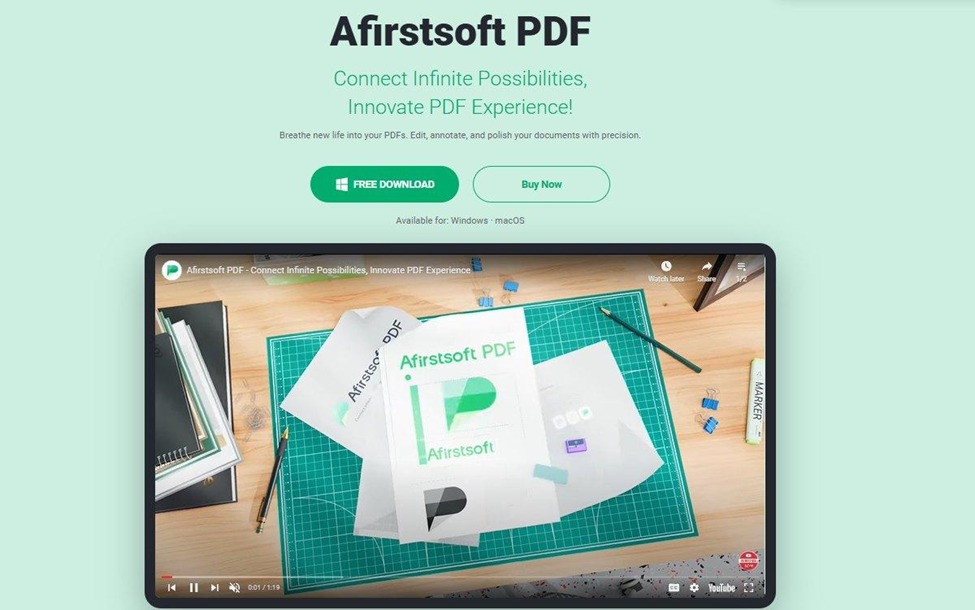
In the world of PDF editors, Afirstsoft is one of the best tools you can implement in your business to edit PDFs, make them more presentable, and annotate them professionally so they are ready to be displayed.
With Afirstsoft, you get many unique editing features like being able to add text to the existing PDFs or editing the text that is already written. These features are essential since you don’t have to convert your document to Word and make the changes.
Speaking of conversions, Afirstsoft also allows you to convert your PDF documents to Word, Excel, PowerPoint, and even an image with just a single click. To make things easier, this PDF editor also features batch conversion, ideal for converting and working on multiple PDF files.
For businesses that are seeking a budget-friendly solution with maximum features, Afirstsoft PDF is the best PDF editor due to its ease of use, user-friendly interface, and great set of features.
Pros
- Cost-effective without compromising essential features.
- User-friendly interface without any hurdles.
- A unique set of PDF editing, annotation, and conversion features.
Cons
- As an emerging software, some functions need to be further improved.
2. Adobe Acrobat
Adobe Acrobat is a free solution by Adobe that is all related to PDF editing, conversion, and viewing. It is a great PDF editor known for its strong security features, a user-friendly interface for PDF viewing, and a set of great PDF editing features.
Acrobat is perfect for big businesses that are looking to work with thousands of PDFs for effective communication and better company files. Moreover, the tool is great for working on Word, Excel, and PowerPoint, without hindering the formatting and while maintaining the style.
However, it is a bit expensive solution, which is why it only works for large enterprises and professionals who are looking for more advanced features.
Pros
- Accurate text, pictures, and graphic editing capabilities in PDFs.
- Batch file conversion works great.
- Stable integration with third-party applications like Microsoft SharePoint.
Cons
- Overwhelming to use if you’re new to PDF editing.
- Expensive for small to mid-size businesses.
3. Nitro PDF Pro
Nitro PDF Pro is a great PDF editor that has garnered tens of thousands of customers thanks to its PDF editing and e-signature features. The tool allows a one-time fee, which is great for individuals & teams. For businesses, Nitro PDF Pro is a tad bit expensive.
With the tool, you can get all the insights into the work right from the admin dashboard, where you can create role-based permissions, send signature requests in bulk, and also customize the whole onboarding/signing experience along with company branding, design, and the vibe.
While Nitro PDF Pro is not ideal for small businesses, it’s a great tool for mid-sized businesses who are looking for innovative editing capabilities.
Pros
- Extremely easy to use.
- The software provides you with user analytic and allows you to automate workflows.
- Collaboration is made easy.
Cons
- No free versions are available for customers after the trial.
- Customer service could be improved
- Some users have reported bugs with the OCR tool.
4. Foxit PDF Editor
Foxit PDF Editor is relatively popular and known for its multi-platform PDF capabilities. The tool comes in three different editions: PDF Editor, PDF Editor Pro, and PDF Editor Pro+. With Foxit PDF Pro, you get an easy-to-understand interface, strong PDF editing features that resemble Microsoft Word, and great annotation tools that make collaboration easier.
Moreover, thanks to all the options, it is perfect for any business size since there are cost-effective solutions the the more costly ones that are ideal for big businesses. However, if you like working with a lot of forms, then Foxit might not be the perfect fit because there are some occasional bugs.
Pros
- Great tool for viewing PDFs and filling out forms.
- Easy style changes and collaboration.
- Digital signatures and made easier.
Cons
- There are some bugs when it comes to forms and OCR.
5. PDF-XChange Editor
PDF-XChange Editor is a great free PDF editor that has seen some improvements throughout the years. It is much clearer and easier to use than its previous design. Coupled with the new editing tools like highlighting, selecting, and striking the text, these changes have made the tool among the best PDF editors of all time.
The best part about using PDF-XChange Editor is that even the free version is fully functional. One con about using PDF-XChange Editor is that the free version can watermark some documents, which can be unusable for some businesses.
Pros
- Great PDF reading tool.
- Superior character recognition.
- Annotation features are great.
Cons
- Free version has watermark documents that can hinder the experience.
Conclusion
Many PDF editors are present in the market but we have covered 5 of the more popular ones that will allow your business to have enhanced productivity and superior communication. If you’re a small to mid-sized business, then Afirstsoft will work the best and if you’re a large enterprise looking for more advanced features, then a tool like Adobe acrobat will work.
Afirstsoft is the perfect balance between affordability and functionality, which is perfect for businesses if they want to enhance their organization’s file management.