Making customers happy is the core of any business goal.
As stated, first impressions are the best impressions; every business should incorporate an appealing onboarding process. With this, you don’t just stay as part of their process but also as a part of their memory. Without a solid onboarding process, 74% of potential customers tend to leave. But with a solid onboarding process, they’re 50% more likely to stay with you.
A knowledge base for customer onboarding is a useful enhancement for better customer interactions. A well-structured knowledge base for customer onboarding is also a self-service resource for using your product or service well. This enables users to get what they want quickly with little effort and without having to connect with the customer support team over the phone or via email.
This article explores the top knowledge base for customer onboarding to build customer loyalty and engagement.
How can a knowledge base improve customer onboarding?
Customer onboarding familiarizes customers with your product or service, encouraging them to adopt it quickly. Using a well-structured knowledge base for customer onboarding can effectively introduce your customers to your product or services. It also contains information on FAQs, working and troubleshooting guides.
A knowledge base can offer several benefits for customer onboarding, such as
Quick answer to common queries:
Customers do not want to wait in queues to solve their issues; they want to solve them themselves. Having an onboarding customer knowledge base helps them find answers to their queries quickly and instantly.
Reduce onboarding time:
With the help of AI-powered tools and chatbots, customer onboarding is taken to the next level. This not only ensures quick onboarding but also delivers an excellent customer experience.
Ensure consistency in communication:
With AI writing assistance, you can ensure the same tone of voice is maintained across all articles. Also, having a knowledge base ensures consistency in information; it acts as a single source of truth. This information is centrally available and easily accessible. Updates to the articles are easily updated, and consistency is maintained.
3 Best Knowledge base tools for Customer onboarding
Document360
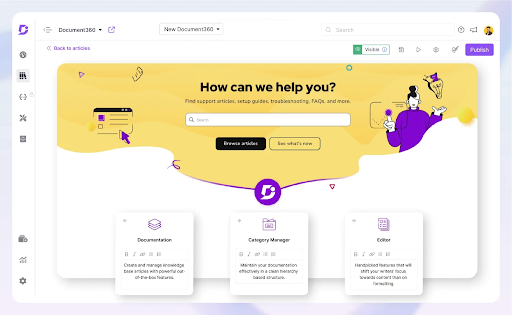
Document360 is an AI-powered Knowledge base software for customer onboarding, customer support, and internal knowledge bases. With its array of AI suites, Document360 offers dedicated features for creating, sharing, publishing, and managing customer onboarding.
With its Markdown and advanced WYSIWYG editors, you can create articles, format them, and incorporate images and videos. You can also organize articles using AI tags, add SEO descriptions, and summarize the article with an AI summarizer. AI search allows customers to quickly find answers to their problems, making onboarding seamless and with 24/7 consistent support.
What customer’s say?
Document360 has allowed us to create an extensive knowledge base for our customers”
It is easy to create and publish articles. The site allows for several categories that are easy to navigate for our clients. It was easy to implement the tool. Our team has been using Document360 for a year now and we have created an extensive help site that is useful to our users. It is easy for us to publish and update articles quickly when we release a new feature or need to update an existing help article.
Source: G2
Get Guru
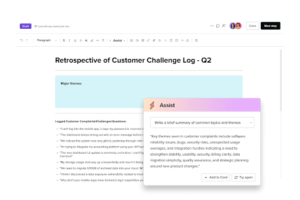
Get guru is a powerful wiki software. Integrating your wiki with your workflow management renders smooth knowledge sharing for your teams. With guru’s internal wiki you can support customer onboarding by sharing “how to” guides for your new customers via client portal. You can customize the portal templates to match your brand.Free templates are available for quick access.
What Customers say?
“Guru has revolutionized our company’s customer care abilities!”
Guru makes it easy to find quality knowledge cards quickly, it is very user-friendly, easy to update existing info, seamless to create new cards, and its SEO capabilities within our organization are great. Our knowledge team set up our knowledge base with ease and allow us to verify existing cards while also creating new ones. I am a daily user of this wonderful program for nearly 3 years. It allows me and our entire customer support team to provide better, more personalized, quality care to our clients at a growing volume photography software company.
Source: G2
Notion
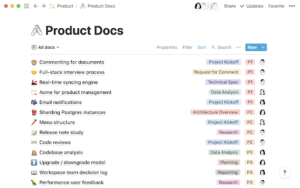
Notion is a Knowledge base software for your teams. You can use notion for client onboarding by storing product manuals, FAQs , troubleshoot guides for your new customers. This reduces ticket load on customer support agents and ensures easy onboarding of customers. This provides consistent communication and update the articles anytime.
Notion also provides simple templates to start quickly with your onboarding guide. You can embed videos and images into the pages. You can create dashboards to follow and track the completion process.
What Customers say?
“Notion is a magical tool”
Notion makes it so easy to document everything you need. The templates make it easy to get started, and their AI features make it even easier to create what you want. I use it every day in both my work and personal life. I would be incredibly disorganized without it. It’s a phenomenal product all around.
Source: G2
Conclusion
Effective customer onboarding is vital in engaging new customers with your products’ vision and goals. With a well-structured knowledge base, you can build a clear and accessible onboarding process for improved customer satisfaction and retention.
Considering your customer onboarding process’s requirements and budget, choose the best knowledge base for your company’s customer onboarding from the list.