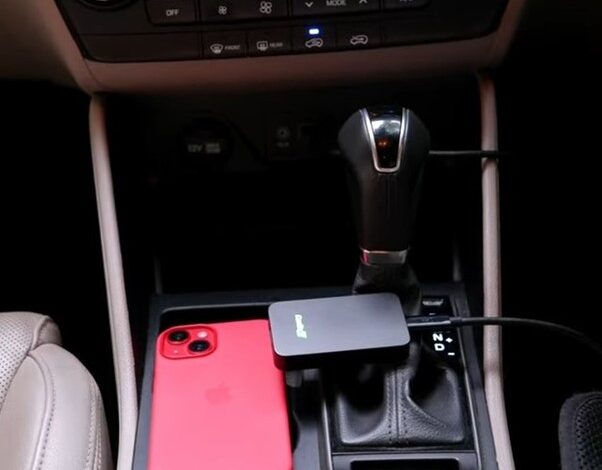
Carlinkit CarPlay is a revolutionary product that allows users to connect their iPhone to their car’s infotainment system wirelessly. It is a popular alternative to the traditional wired CarPlay, which requires users to connect their phone to their car’s USB port. Carlinkit CarPlay is compatible with a wide range of car models and offers a seamless and convenient way to access various features on an iPhone while driving.
Product Introduction Carlinkit CarPlay has evolved over the years, with the latest versions being Carlinkit 3.0, Carlinkit 4.0, and Carlinkit 5.0. The latest version, Carlinkit 5.0, is equipped with a 5G chip and operates on the 5.8 GHz band, which ensures faster and more stable wireless connectivity. The product is also compatible with wireless Android Auto, making it a versatile option for users who own both an iPhone and an Android device.
Usage Scenarios carlinkit carplay is particularly useful for people who spend a lot of time driving and need to stay connected while on the go. It allows users to access various iPhone features, including music, maps, and messaging, without having to take their eyes off the road. The product is also beneficial for people who own older car models that do not come with built-in CarPlay support.
Key Takeaways
- Carlinkit CarPlay is a wireless alternative to traditional wired CarPlay that allows users to connect their iPhone to their car’s infotainment system.
- The latest version, Carlinkit 5.0, is equipped with a 5G chip and operates on the 5.8 GHz band, ensuring faster and more stable wireless connectivity.
- Carlinkit CarPlay is particularly useful for people who spend a lot of time driving and need to stay connected while on the go, and for people who own older car models that do not come with built-in CarPlay support.
Product Introduction
Carlinkit CarPlay is a versatile system that provides users with a seamless way to connect their iOS device to their car’s infotainment system. This product has been designed to offer users an enhanced user experience, with features that are both functional and easy to use.
Model Overview
Carlinkit CarPlay is available in three different models: Carlinkit 3.0, Carlinkit 4.0, and Carlinkit 5.0. Each model provides users with a unique set of features and capabilities that cater to different needs.
Carlinkit 3.0 is the entry-level model and is ideal for those who want a basic CarPlay experience. It offers stable performance, Wi-Fi connectivity, and Bluetooth connectivity. Carlinkit 4.0 is the mid-range model and comes with additional features such as a USB port and AI box. Carlinkit 5.0 is the top-of-the-line model and offers the best performance and stability.
Functional Features
Carlinkit CarPlay comes with a range of functional features that make it a great addition to any car. It offers compatibility with a wide range of iOS devices, including iPhones and iPads. It also offers stable performance, ensuring that users can enjoy a seamless experience without any interruptions.
One of the standout features of Carlinkit CarPlay is its Wi-Fi connectivity. This allows users to connect to the internet and stream music, videos, and podcasts directly from their car’s infotainment system. Additionally, Carlinkit CarPlay also comes with Bluetooth connectivity, which allows users to make hands-free calls and stream music wirelessly.
Carlinkit CarPlay also comes with a USB port, which enables users to charge their devices while on the go. The AI box feature allows users to control their car’s infotainment system using voice commands, making it a convenient and safe way to interact with the system while driving.
Compatibility
Carlinkit CarPlay is compatible with a wide range of car models and infotainment systems. It works seamlessly with most car models, ensuring that users can enjoy a hassle-free experience. It is also compatible with a wide range of iOS devices, including iPhones and iPads.
Performance
Carlinkit CarPlay offers stable performance, ensuring that users can enjoy a seamless experience without any interruptions. It also offers fast and reliable connectivity, ensuring that users can connect to the internet and stream music and videos without any lag.
Stability
Carlinkit CarPlay is designed to offer users a stable and reliable experience. It comes with features such as Wi-Fi and Bluetooth connectivity, which ensure that users can enjoy a seamless experience without any interruptions.
Speed
Carlinkit CarPlay offers fast and reliable connectivity, ensuring that users can connect to the internet and stream music and videos without any lag. It also offers stable performance, ensuring that users can enjoy a seamless experience without any interruptions.
Usage Scenarios
Real-World Applications
Carlinkit CarPlay offers a seamless integration of your iPhone with your car’s entertainment system. The integration allows for a wide range of real-world applications, making your driving experience more enjoyable and safer.
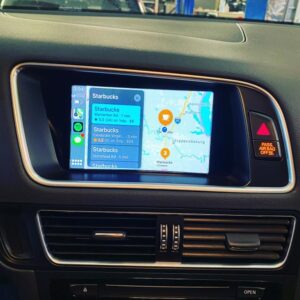
Navigation is one of the most important features of CarPlay. With Apple Maps and Google Maps, you can easily navigate to your destination without having to take your eyes off the road. The voice-guided turn-by-turn directions allow for a safer driving experience.
Music is another popular feature of CarPlay. With Apple Music and Spotify, you can easily access your music library and playlists. The integration with the car’s entertainment system allows for a better sound quality and control of the music playback.
Phone calls can also be made through CarPlay, allowing for hands-free calling while driving. The integration with the car’s microphone and speakers provides a better call quality and reduces the risk of distracted driving.
User Experience
Carlinkit CarPlay is designed to be user-friendly and easy to use. The interface is simple and intuitive, allowing for easy access to all the features. The touch screen display and voice commands make it easy to control the system without having to take your eyes off the road.
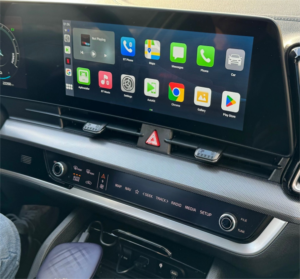
The entertainment system is also integrated with media apps such as YouTube and Netflix, allowing for a more enjoyable driving experience. The ease of use and convenience of CarPlay make it a must-have feature for any modern car.
Overall, Carlinkit CarPlay offers a wide range of features and applications that make your driving experience safer and more enjoyable. With its simple and intuitive interface, seamless integration with your iPhone, and a wide range of media apps, CarPlay is a game-changer in the world of in-car entertainment systems.
Installation and Setup
Getting Started
Installing Carlinkit CarPlay is a straightforward process that requires no special skills or tools. Simply plug the CarPlay dongle into your car’s USB port and follow the on-screen instructions to complete the setup process. The dongle is designed to be plug-and-play, which means that it should work right out of the box without any additional configuration.
Troubleshooting
If you experience any issues during the installation or setup process, there are a few things that you can try to resolve the problem. The first step is to make sure that the dongle is properly connected to your car’s USB port. If the connection is loose or unstable, it can cause connection issues and other problems.
If you are still experiencing issues after checking the connection, you may need to reset the dongle to its factory settings. This can be done by pressing and holding the reset button on the dongle for 10 seconds. Once the dongle has been reset, you can try the pairing process again.
If you are still having trouble, you may need to upgrade the firmware on the dongle. This can be done by downloading the latest firmware from the Carlinkit website and following the instructions provided. It is important to note that firmware upgrades can sometimes cause issues, so it is recommended that you only upgrade the firmware if you are experiencing specific problems that are addressed in the upgrade.
Overall, the Carlinkit CarPlay dongle is a reliable and easy-to-use device that can enhance your driving experience by providing access to a wide range of features and functions. With a little bit of patience and troubleshooting, you should be able to get your dongle up and running in no time.
Market Prospect
Carlinkit CarPlay is a promising technology that has been gaining traction in the wireless CarPlay market. The development trend of wireless CarPlay is moving towards a wireless connection, which eliminates the need for a physical cable connection between the car and the iPhone. This trend is expected to continue in the future, and Carlinkit CarPlay is well-positioned to take advantage of it.
One of the competitive advantages of Carlinkit CarPlay is its affordability compared to other wireless CarPlay solutions. This makes it an attractive option for car owners who want to upgrade their car’s infotainment system without breaking the bank. Additionally, Carlinkit CarPlay offers a user-friendly interface that is easy to navigate, making it a popular choice among consumers.
Looking towards the future, Carlinkit CarPlay has the potential to become a leading player in the wireless CarPlay market. As more car manufacturers begin to adopt wireless CarPlay technology, the demand for affordable and reliable solutions like Carlinkit CarPlay will only continue to grow.
Overall, Carlinkit CarPlay has a bright future in the wireless CarPlay market, thanks to its competitive pricing, user-friendly interface, and potential for future growth.